
This step-by-step guide will help you create recurring shift schedules efficiently, as this feature is designed to eliminate repetitive work by automatically generating shifts based on recurrence patterns defined in templates. With this enhancement, you can ensure greater efficiency, improved accuracy, and a seamless scheduling experience.
1. Create the weekly shifts as normal. Hit Save Changes.
2. To create a recurring template of the week's roster, go to Actions.
Note: You can create shift templates with or without allocated employees as long as shift times are added.

3. Click Save Week Template.

4. Add the template name and the description of the template.

5. Click Repeat Template.
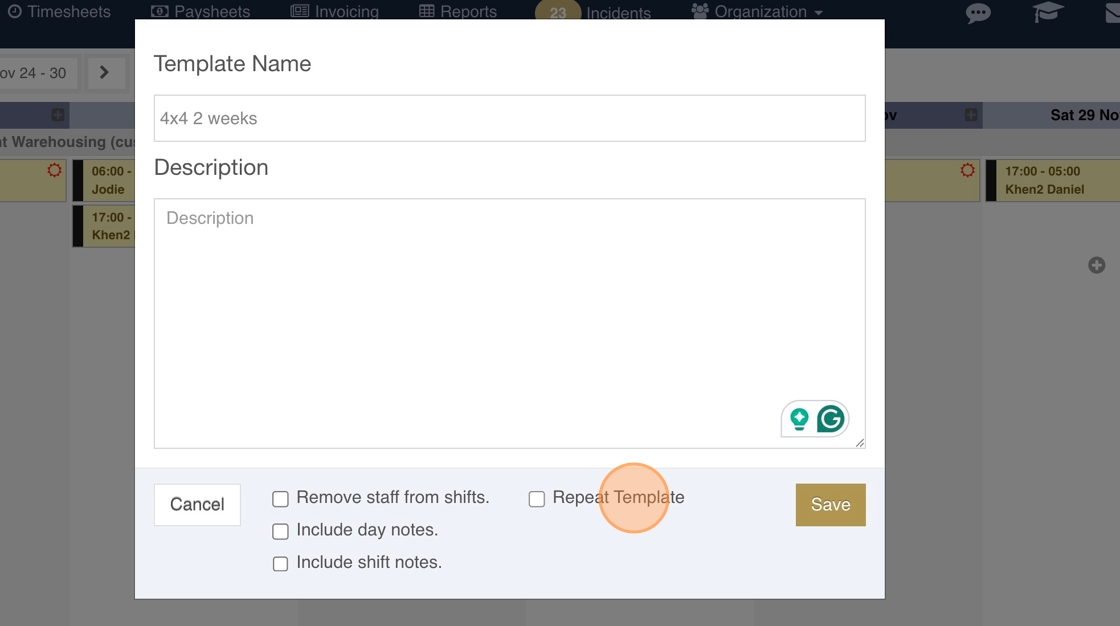
6. Two option will pop up.

7. Repeat every will indicate every how many weeks the template will be repeated. The system allows up to an 8 week-repeat.

8. Load ahead will indicate how many times the recurring template will be loaded. The count will start after the date the shifts were created. The system allows you to load ahead up to 4 times.

9. Hit Save once the template is finalized.

10. There will also be an indicator if recurring templates are used.

11. Example computation for a setup of repeats and maximum loads.

12. Example 1: Repeat every two weeks and Load Ahead 2 times. If the base date is November 24-30, the shifts will load on the following weeks: December 8-14 and December 22-28.

13. Example 2: Guards work 12 hours per shift and 4 times a week. The following week is the same but a different time. You want to create a 2-month Schedule. The base date is November 24, 2025.
Templates: Two recurring templates have to be created (week 1, week 2).
14. Week 1 sample template
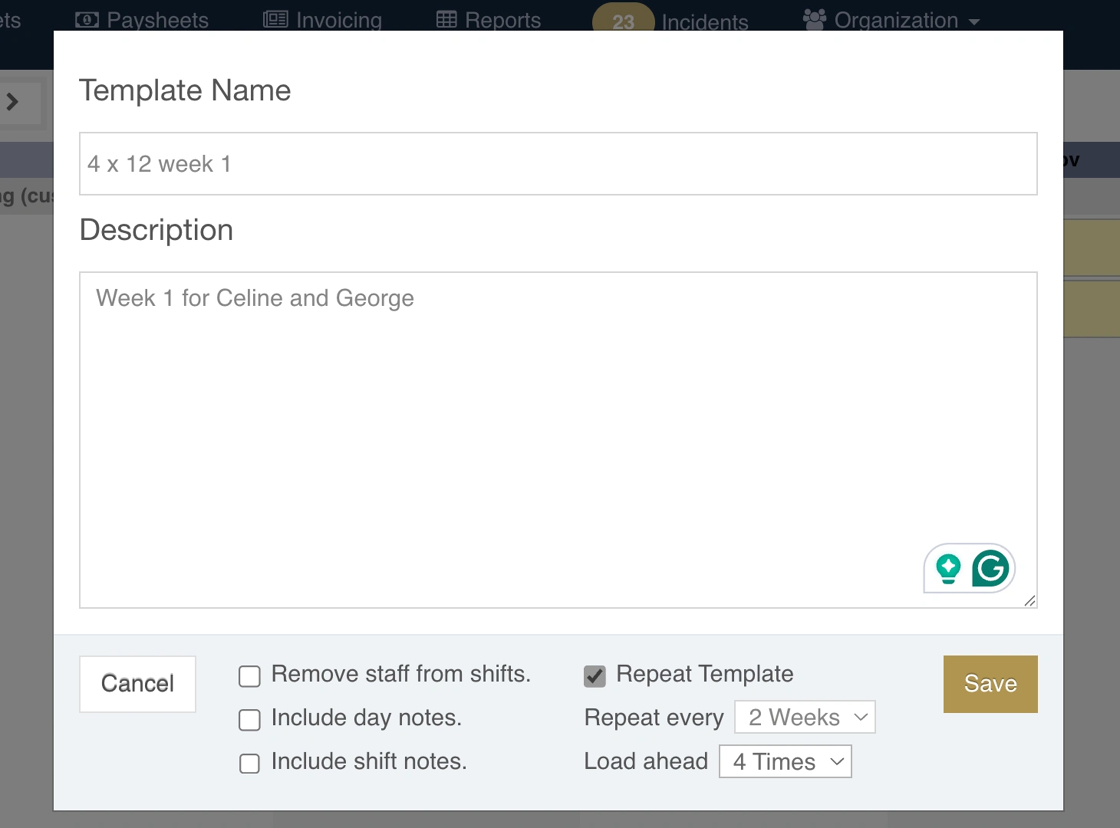
15. Sample roster once loaded

16. Week 2 Sample Template
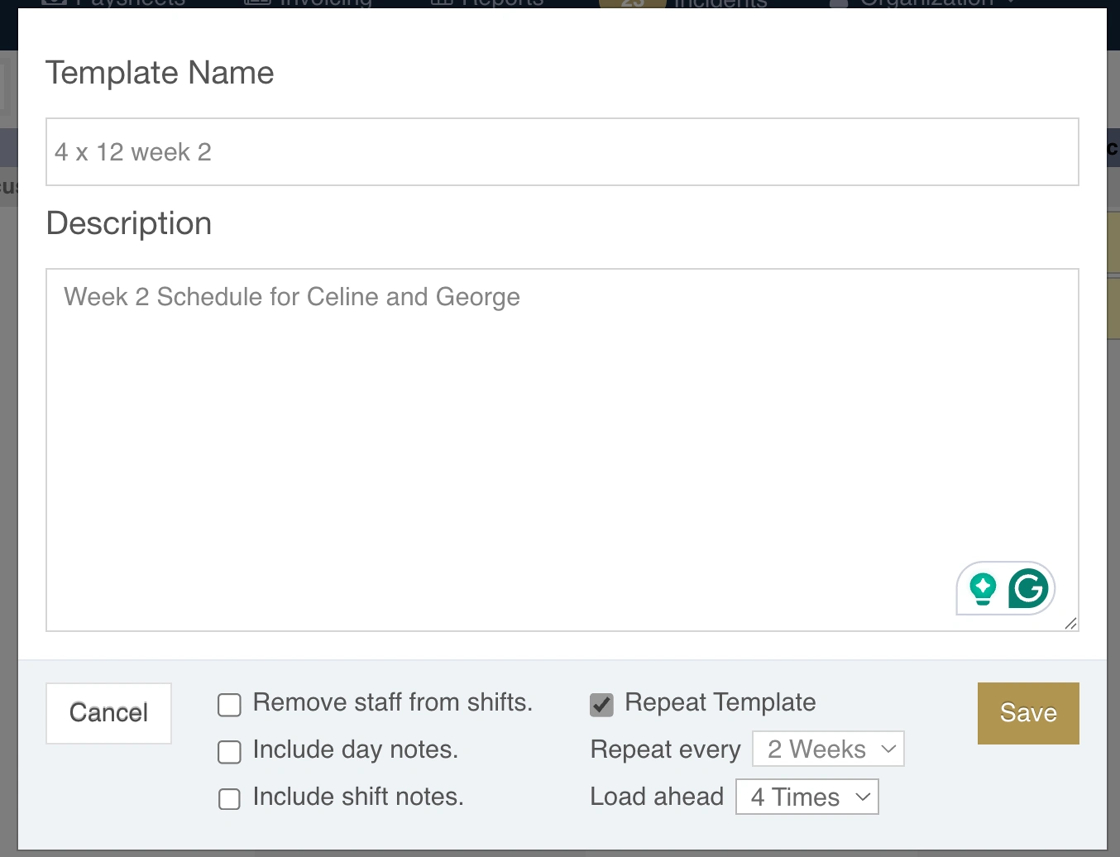
17. Sample roster once loaded.
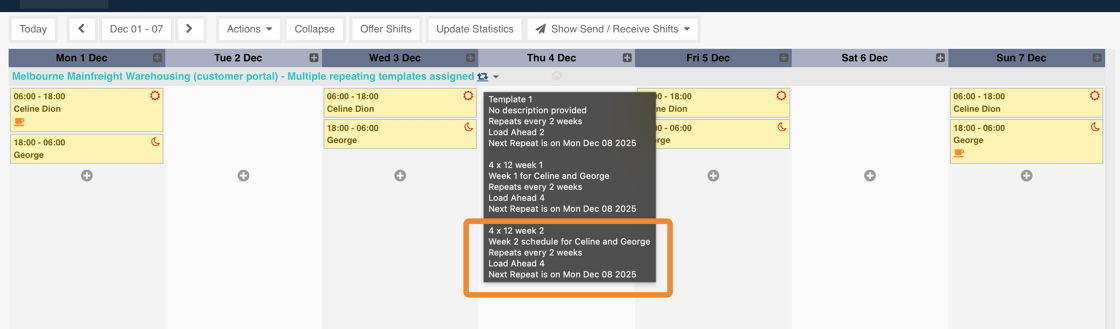
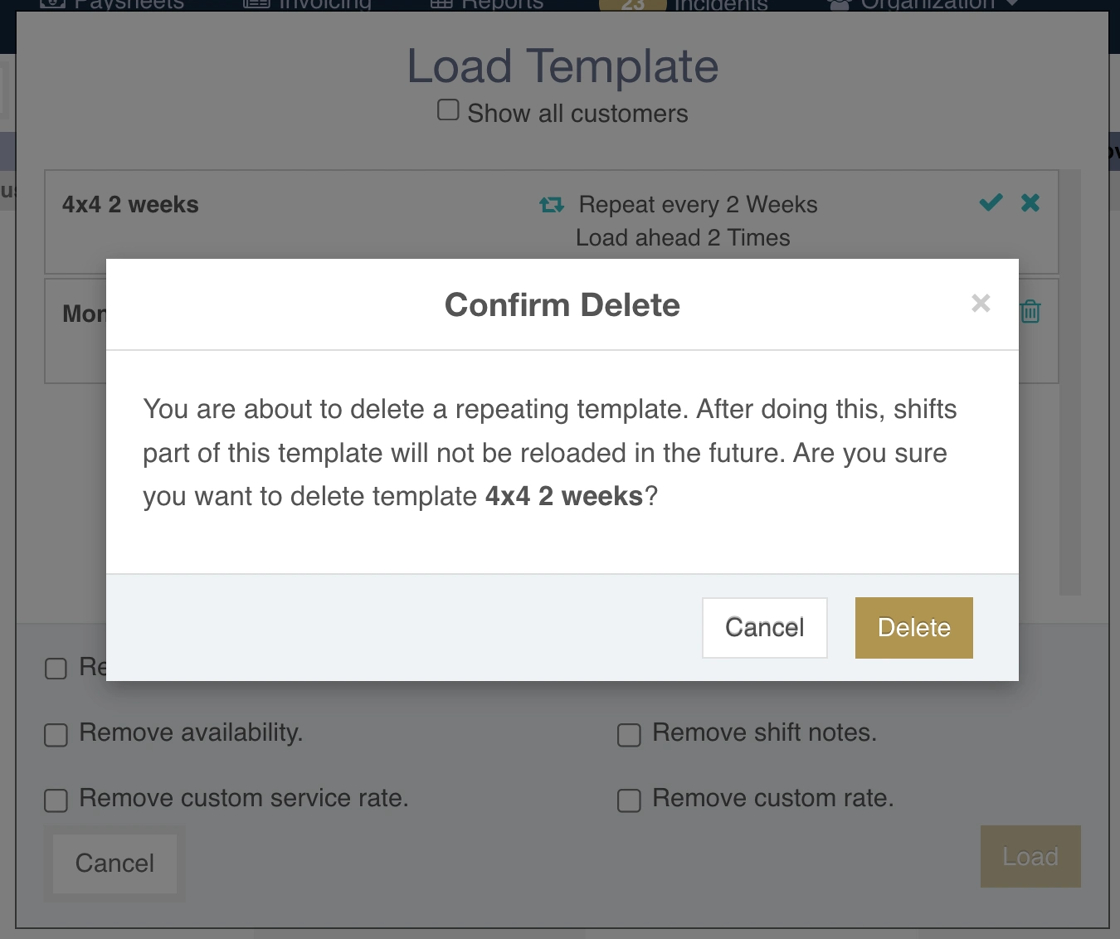
18. If recurring templates have been loaded and then deleted, the recurring template can no longer be loaded. The template will be grayed out. You will have to create another recurring template and load it.

19. When a template is deleted, the reminder below will pop up.
20. Recurring templates can be saved and loaded per customer or per site. However, recurring templates cannot be saved and and loaded by group view and by all customers view.
